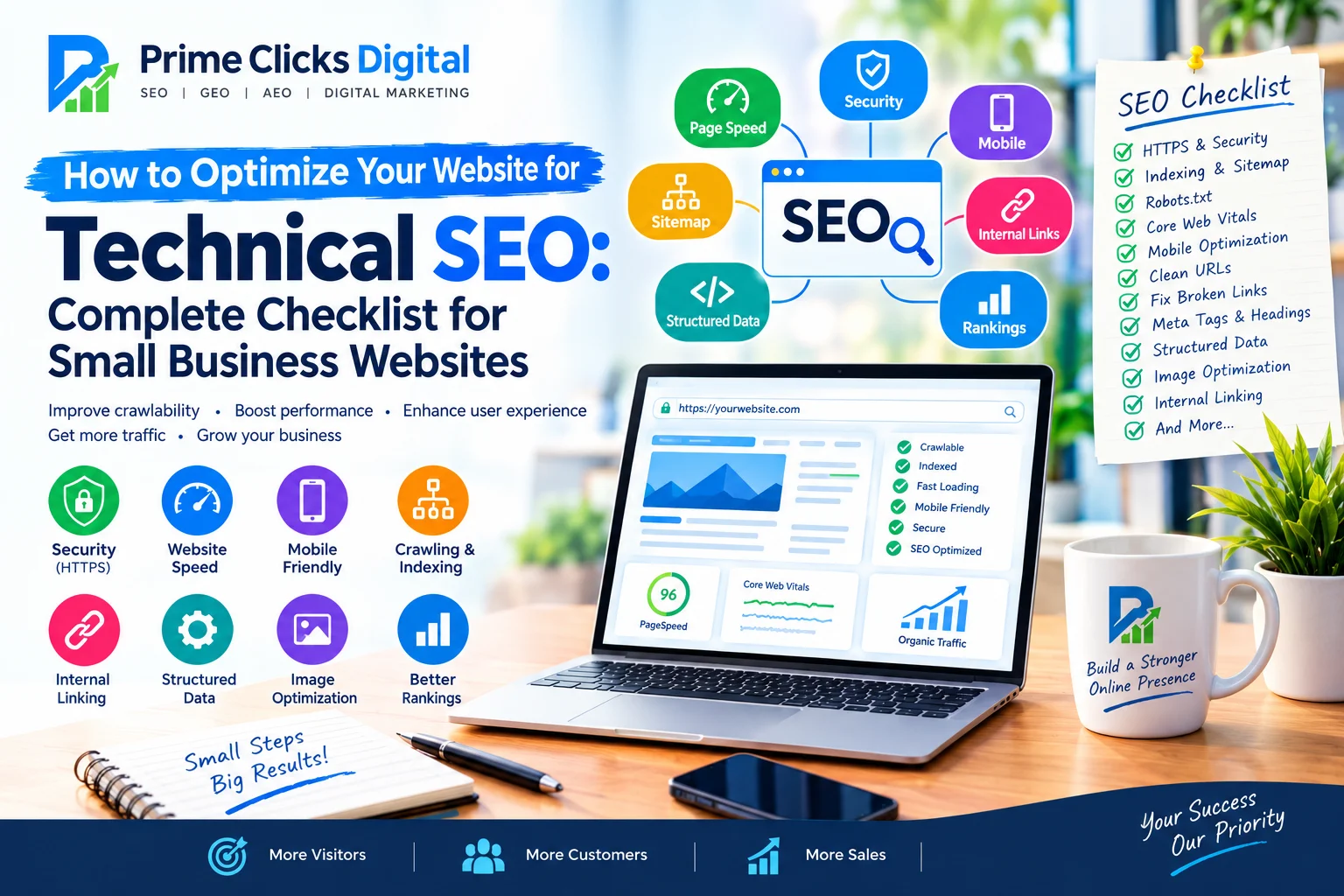
How to Optimize Your Website for Technical SEO: Complete Checklist for Small Business Websites
Technical SEO is one of the most important parts of a successful SEO strategy, but it is often overlooked by small businesses. You may have excellent content, attractive website design, and strong products or services, but technical problems can prevent search engines from properly crawling, understanding, and indexing your website.
A technically optimized website gives search engines a clear path to discover your pages and helps visitors enjoy a fast, secure, mobile-friendly experience.
In this guide, you will learn how to optimize your website for Technical SEO with a practical checklist designed specifically for small business websites.
What Is Technical SEO?
Technical SEO refers to the process of improving the technical aspects of a website so that search engines can crawl, render, understand, and index its pages effectively.
Unlike content SEO, Technical SEO focuses less on writing articles and more on the technical foundation of your website.
Important Technical SEO areas include:
- Website speed
- Mobile responsiveness
- HTTPS security
- Website crawling
- Search engine indexing
- XML sitemap
- Robots.txt
- URL structure
- Internal linking
- Canonical URLs
- Structured data
- Core Web Vitals
- Broken links
- Redirects
- Duplicate content
- JavaScript rendering
- Image optimization
- Website architecture
For a small business, Technical SEO does not necessarily mean implementing complicated code. Many important improvements can be completed using WordPress SEO plugins, caching tools, image optimization tools, and proper website configuration.
Why Technical SEO Is Important for Small Businesses
Small businesses often compete against established companies with larger websites and stronger backlink profiles. A technically healthy website can help create a solid foundation for competing in organic search.
Technical SEO can help search engines:
- Discover your pages
- Crawl your website efficiently
- Understand your website structure
- Index important pages
- Understand page relationships
- Process structured data
- Identify your business information
- Deliver a better user experience
It can also help visitors navigate your website more easily.
However, Technical SEO alone does not guarantee Google rankings. Search visibility depends on many factors, including content quality, relevance, authority, competition, links, user experience, and search intent.
Technical SEO Checklist for Small Business Websites
Use the following checklist to audit and improve your website.
1. Make Sure Your Website Uses HTTPS
Website security should be a basic requirement for every business website.
Your website should use HTTPS instead of HTTP.
For example:
https://example.com
rather than:
http://example.com
HTTPS encrypts information transferred between the visitor and your website.
Check Your Website
Open your website in a browser and confirm that:
- HTTPS is enabled
- Your SSL certificate is valid
- HTTP redirects to HTTPS
- Internal links use HTTPS
- Images and scripts are loaded securely
Common Problem
Sometimes a website uses HTTPS but contains HTTP resources. This can create mixed-content problems.
Check your pages for:
- HTTP images
- HTTP JavaScript files
- HTTP CSS files
- HTTP external resources
Fix these URLs so they use HTTPS where appropriate.
2. Check Website Indexing
A website cannot receive organic traffic from a search engine if important pages are not indexed.
Use Google Search Console to check whether your important pages are indexed.
Pay attention to:
- Indexed pages
- Excluded pages
- Crawled but currently not indexed
- Discovered but currently not indexed
- Pages blocked by robots.txt
- Pages with noindex
- Duplicate pages
You should not try to index every URL on your website.
For example, you may want important pages such as:
- Homepage
- About page
- Service pages
- Location pages
- Product pages
- Important blog posts
- Contact page
to be indexable.
3. Create and Submit an XML Sitemap
An XML sitemap helps search engines discover important URLs on your website.
A typical sitemap may be available at:
https://example.com/sitemap_index.xml
or:
https://example.com/sitemap.xml
If you use WordPress, SEO plugins such as Rank Math or other SEO tools can generate sitemaps automatically.
Your sitemap should generally contain important canonical URLs that you want search engines to discover.
After creating your sitemap, submit it through Google Search Console.
Sitemap Checklist
- XML sitemap exists
- Sitemap loads correctly
- Important pages are included
- Unwanted URLs are excluded
- Sitemap uses HTTPS
- Sitemap does not contain broken URLs
- Sitemap is submitted to Google Search Console
4. Review Your Robots.txt File
The robots.txt file provides crawling instructions to search engine bots.
It is usually available at:
https://example.com/robots.txt
A robots.txt file can help control which areas of a website crawlers are allowed to access.
However, be careful.
A poorly configured robots.txt file can accidentally block important pages or resources.
Check For
- Important pages accidentally blocked
- CSS files blocked unnecessarily
- JavaScript resources blocked unnecessarily
- Important images blocked
- Incorrect sitemap URL
- WordPress administrative areas being appropriately handled
Do not use robots.txt as a replacement for a noindex directive when your goal is to prevent a page from appearing in search results.
5. Improve Website Speed
Website speed is an important part of user experience and modern SEO.
Slow websites can frustrate visitors and may increase abandonment.
Common causes of slow websites include:
- Large images
- Too many plugins
- Poor hosting
- Unoptimized CSS
- Excessive JavaScript
- Unnecessary third-party scripts
- Poor caching configuration
- Heavy themes
- Unoptimized databases
Ways to Improve Speed
You can:
- Compress images
- Use modern image formats such as WebP where appropriate
- Enable browser caching
- Use page caching
- Minify CSS and JavaScript where appropriate
- Reduce unnecessary plugins
- Optimize fonts
- Remove unnecessary scripts
- Use a reliable hosting provider
- Consider a CDN
Do not blindly enable every optimization option. Some aggressive settings can break layouts or functionality.
Test the website after major performance changes.
6. Optimize Core Web Vitals
Core Web Vitals are performance metrics designed to measure aspects of real-world page experience.
Important metrics include:
Largest Contentful Paint (LCP)
LCP measures how quickly the main content becomes visible.
Large hero images, slow servers, and render-blocking resources can affect LCP.
Interaction to Next Paint (INP)
INP measures how responsive a page is to user interactions.
Heavy JavaScript can make pages feel slow or unresponsive.
Cumulative Layout Shift (CLS)
CLS measures unexpected movement of page elements.
For example, if an image loads and suddenly pushes text downward, it can create a poor experience.
Improve Core Web Vitals By:
- Optimizing images
- Reserving image dimensions
- Improving server response time
- Reducing unnecessary JavaScript
- Optimizing fonts
- Removing unnecessary third-party scripts
- Using caching
- Improving page structure
7. Make Your Website Mobile-Friendly
A large percentage of website visitors use mobile devices.
Your website should work properly on:
- Smartphones
- Tablets
- Laptops
- Desktop computers
Check:
- Text size
- Buttons
- Navigation
- Forms
- Images
- Tables
- Popups
- Menus
- Page spacing
A visitor should not need to zoom in or scroll horizontally to use your website.
Mobile SEO Checklist
- Responsive design
- Mobile-friendly navigation
- Readable text
- Proper button spacing
- Fast mobile loading
- No intrusive elements covering important content
- Forms work correctly
- Images scale properly
8. Create a Clean URL Structure
Your URLs should be simple and understandable.
Good:
example.com/local-seo/
Less useful:
example.com/page?id=12345
For small business websites, descriptive URLs can make the website structure easier for both users and search engines to understand.
URL Best Practices
- Keep URLs descriptive
- Use relevant words
- Avoid unnecessary parameters
- Use hyphens between words
- Avoid excessive URL length
- Keep URLs consistent
- Avoid unnecessary changes
Do not repeatedly change URLs simply because you want to make them shorter.
If you change an established URL, implement the appropriate redirect and update internal links.
9. Fix Broken Links
Broken links can create poor user experiences and make website maintenance more difficult.
Common broken link types include:
- Internal broken links
- External broken links
- Broken images
- Incorrect redirects
- Deleted pages
Regularly crawl your website and look for HTTP errors such as:
- 404 Not Found
- 410 Gone
- 5xx Server Errors
If an important page has moved permanently, use an appropriate redirect to the new relevant URL.
Do not redirect every broken URL to the homepage. Redirect users to the most relevant replacement when one exists.
10. Manage Redirects Correctly
Redirects are useful when URLs change.
For example:
Old:
example.com/old-service/
New:
example.com/new-service/
A permanent redirect can help visitors and search engines reach the new URL.
Avoid long redirect chains such as:
Old URL → URL 2 → URL 3 → Final URL
Whenever possible, redirect the original URL directly to the final destination.
Also check for redirect loops.
11. Use Canonical URLs
Canonical tags help search engines understand which URL represents the preferred version of substantially duplicate or similar pages.
For example, multiple URLs may sometimes lead to similar content because of:
- Tracking parameters
- Filters
- Sorting
- Duplicate versions
- Ecommerce variations
A properly implemented canonical URL can help communicate your preferred version.
However, canonical tags should not be treated as a universal solution for duplicate content.
Always review whether the URLs genuinely represent the same or substantially similar content.
12. Improve Internal Linking
Internal links connect one page of your website to another.
For a small business website, internal linking can help users discover relevant services and content while also helping search engines understand your site structure.
For example, a blog post about local SEO might link to your:
- Local SEO service
- Google Business Profile service
- SEO audit service
- Related blog posts
- Contact page
Internal Linking Checklist
- Important pages receive internal links
- Links use descriptive anchor text
- Related content is connected
- No important page is isolated
- Navigation is logical
- Links work correctly
Avoid stuffing keywords into every anchor text. Write links naturally for users.
13. Create a Logical Website Architecture
Your website should have a clear structure.
A simple small-business structure could look like:
Homepage
→ Services
→ Local SEO
→ WordPress SEO
→ Shopify SEO
→ WooCommerce SEO
→ Technical SEO
→ SEO Audit
And:
Homepage
→ Blog
→ Blog Post
→ Related Service
A clear structure makes it easier for visitors to find information.
It also helps search engines understand relationships between pages.
14. Optimize Title Tags
Every important page should have a useful and descriptive title.
For example:
Technical SEO Services for Small Businesses | Prime Clicks Digital
A good title should:
- Clearly describe the page
- Reflect search intent
- Be unique
- Encourage relevant clicks
- Avoid unnecessary keyword repetition
Do not create titles that simply repeat the same keyword several times.
15. Write Better Meta Descriptions
Meta descriptions can provide searchers with a short summary of a page.
For example:
Improve your small business website with a practical Technical SEO strategy covering speed, indexing, Core Web Vitals, schema, mobile SEO, and more.
A useful meta description should accurately describe the page and give searchers a reason to visit.
Remember that search engines may generate or modify snippets based on the query and page content.
16. Optimize Heading Structure
Use headings to organize your content.
A typical page structure could include:
H1: Technical SEO Services for Small Businesses
H2: What Is Technical SEO?
H2: Technical SEO Benefits
H2: Our Technical SEO Process
H3: Website Crawling
H3: Website Speed
H3: Mobile Optimization
H2: Frequently Asked Questions
Use headings to create a logical hierarchy rather than using them simply for visual styling.
17. Add Structured Data Where Appropriate
Structured data provides search engines with machine-readable information about a page.
Depending on your business and page type, structured data may be relevant for:
- Organization
- LocalBusiness
- Service
- Product
- Article
- Breadcrumb
- FAQ content where eligible and appropriate
For a local business, accurate business information can be particularly important.
Structured data should represent visible and accurate information on the page.
Never add misleading schema simply because you want a particular search result feature.
18. Optimize Images
Images can significantly affect website performance.
Before uploading images:
- Resize them appropriately
- Compress them
- Use suitable formats
- Add descriptive alt text where appropriate
- Avoid unnecessarily huge dimensions
- Use responsive images
For example, instead of uploading a 5000×5000 pixel image when a 1200×800 image is sufficient, use a suitable size for the actual display.
Image SEO Checklist
- Descriptive filenames
- Appropriate dimensions
- Compression
- WebP or another suitable modern format
- Relevant alt text
- Lazy loading where appropriate
- No unnecessary duplicate images
Alt text should describe meaningful image content rather than being a list of keywords.
19. Check Duplicate Content
Duplicate or near-duplicate pages can create confusion about which URL should be indexed and shown in search results.
Look for:
- Duplicate service pages
- Multiple versions of the same page
- Printer-friendly URLs
- URL parameters
- Duplicate category pages
- Similar location pages
- Ecommerce filter URLs
If pages are intentionally similar, review whether they need to exist separately.
Avoid creating dozens of nearly identical location pages simply to target different cities.
20. Fix Orphan Pages
An orphan page is a page that has no meaningful internal links pointing to it.
Search engines may still discover an orphan page through a sitemap or external link, but your website structure should not rely on that alone.
Important pages should normally be connected through:
- Navigation
- Contextual internal links
- Related content
- Category pages
- Service pages
Review your site regularly for important pages that have become disconnected.
21. Check Server Errors
Technical SEO is not only about the frontend.
Your server should reliably return pages when visitors and search engine crawlers request them.
Watch for:
- 500 errors
- 502 errors
- 503 errors
- Timeout problems
- DNS issues
- Hosting outages
If your website frequently experiences server problems, investigate hosting, server configuration, plugins, database performance, or application errors.
22. Use Google Search Console
Google Search Console is one of the most useful free tools for monitoring organic search performance and technical issues.
You can use it to monitor:
- Search queries
- Impressions
- Clicks
- Average position
- Indexing
- Sitemap status
- Page experience signals
- Core Web Vitals reports
- Security issues
- Manual actions
- Search appearance
Check Search Console regularly rather than only when your rankings drop.
23. Monitor Google Analytics
Analytics helps you understand what visitors do after arriving on your website.
Look at:
- Organic traffic
- Landing pages
- Engagement
- Conversion events
- Contact form submissions
- Phone clicks
- Email clicks
- Appointment requests
- Ecommerce activity
For a small business, traffic is useful, but conversions are often more important.
A page receiving 1,000 visitors but generating no leads may require a different strategy from a page receiving 100 highly relevant visitors and generating several qualified inquiries.
24. Make Important Business Information Easy to Find
Small business websites should make important information accessible.
Consider clearly displaying:
- Business name
- Phone number
- Email address
- Physical location when applicable
- Service areas
- Business hours
- Services
- Contact options
Keep important business information consistent across your website and relevant business profiles.
25. Create a Helpful 404 Page
A 404 page should help visitors recover when they reach a missing URL.
Consider including:
- A clear message
- Link to homepage
- Main navigation
- Popular services
- Search function
- Contact option
A useful 404 page can turn a dead end into another opportunity for visitors to continue browsing.
26. Check Your Website’s Technical SEO Regularly
Technical SEO is not a one-time project.
Websites change constantly.
You may:
- Add plugins
- Change themes
- Publish new pages
- Delete pages
- Change URLs
- Add tracking scripts
- Change hosting
- Install new marketing tools
Any of these changes can create technical problems.
A small business should consider performing a technical SEO audit periodically and after major website changes.
Complete Technical SEO Checklist
Use this checklist when auditing a small business website:
Security
☐ HTTPS enabled
☐ SSL certificate valid
☐ HTTP redirects to HTTPS
☐ No important mixed-content problems
Crawling & Indexing
☐ XML sitemap exists
☐ Sitemap submitted
☐ Robots.txt reviewed
☐ Important pages are indexable
☐ No accidental noindex tags
☐ No important pages blocked
Website Structure
☐ Clear navigation
☐ Logical URL structure
☐ Strong internal linking
☐ No important orphan pages
☐ Breadcrumbs where useful
Performance
☐ Website loads quickly
☐ Images optimized
☐ Caching configured
☐ Unnecessary plugins removed
☐ JavaScript optimized
☐ Core Web Vitals monitored
Mobile SEO
☐ Responsive design
☐ Mobile navigation works
☐ Text is readable
☐ Buttons are usable
☐ Forms work properly
☐ No horizontal scrolling
On-Page Technical SEO
☐ Unique title tags
☐ Useful meta descriptions
☐ Correct heading hierarchy
☐ Canonical URLs reviewed
☐ Images have appropriate alt text
☐ Broken links fixed
Structured Data
☐ Relevant schema implemented
☐ Organization information accurate
☐ LocalBusiness schema where appropriate
☐ Service schema where appropriate
☐ Breadcrumb schema where appropriate
☐ Structured data tested
Monitoring
☐ Google Search Console connected
☐ Google Analytics configured
☐ Indexing monitored
☐ Search performance monitored
☐ Errors reviewed regularly
Common Technical SEO Mistakes Small Businesses Should Avoid
Mistake 1: Installing Too Many SEO Plugins
Using multiple plugins that perform the same function can create conflicts.
Choose a clear SEO setup and understand what each plugin does.
Mistake 2: Blocking Google Accidentally
A single incorrect robots.txt rule or noindex setting can prevent important pages from being indexed.
Always review changes after major website updates.
Mistake 3: Uploading Huge Images
A beautiful image can still hurt performance if it is several megabytes.
Resize and compress images before uploading.
Mistake 4: Ignoring Mobile Users
A website that looks good on desktop but is difficult to use on mobile can lose potential customers.
Always test important pages on real mobile devices.
Mistake 5: Changing URLs Without Redirects
If you change an established URL, consider the appropriate redirect and update internal links.
Mistake 6: Creating Duplicate Pages
Creating multiple pages with almost identical content for different keywords or locations can create quality and maintenance problems.
Focus on genuinely useful pages.
Mistake 7: Focusing Only on Rankings
Technical SEO is important, but rankings are not the only business objective.
Your website should also generate:
- Calls
- Leads
- Sales
- Appointments
- Quote requests
- Store visits
Technical SEO Tools for Small Businesses
You do not need dozens of expensive tools to start.
Useful tools include:
Google Search Console
For indexing, search performance, technical reports, and search visibility.
Google Analytics
For understanding website traffic and visitor behavior.
PageSpeed Insights
For analyzing page performance and Core Web Vitals.
Rich Results Test
For testing supported structured-data implementations.
Screaming Frog SEO Spider
Useful for crawling websites and finding technical SEO problems.
Rank Math
Useful for many WordPress SEO tasks, including metadata, XML sitemaps, redirects, and structured-data features depending on configuration and version.
The important thing is not simply having tools. It is knowing how to interpret the data and prioritize problems.
How to Prioritize Technical SEO Problems
Not every technical issue has the same importance.
A useful approach is:
Priority 1 — Critical
Fix problems that can prevent search engines or users from accessing important pages.
Examples:
- Website unavailable
- Important pages blocked
- Incorrect noindex
- Severe server errors
- HTTPS problems
Priority 2 — High
Fix issues that significantly affect usability or crawling.
Examples:
- Very slow pages
- Major mobile usability problems
- Broken internal links
- Incorrect redirects
- Poor website architecture
Priority 3 — Medium
Improve areas that can make the site cleaner and easier to manage.
Examples:
- Missing metadata
- Image optimization
- Internal linking improvements
- Structured data improvements
Priority 4 — Ongoing
Monitor:
- Search performance
- Core Web Vitals
- New crawl issues
- Broken links
- Indexing changes
- New technical errors
This approach helps small businesses spend their time and budget efficiently.
Technical SEO for Local Businesses
Local businesses have some additional technical considerations.
Make sure your website clearly communicates:
- Business name
- Address, if applicable
- Phone number
- Service areas
- Opening hours
- Services
- Contact information
Create dedicated service pages when they provide genuinely useful information.
For example, a roofing company might have:
- Roofing Services
- Roof Repair
- Roof Replacement
- Emergency Roofing
- Commercial Roofing
A dental practice might have:
- General Dentistry
- Dental Implants
- Teeth Whitening
- Emergency Dentistry
- Cosmetic Dentistry
Each page should have unique, useful content rather than simply replacing the city name.
Technical SEO and AI Search
Search is evolving beyond traditional blue links.
Businesses are increasingly interested in visibility across AI-powered search experiences and answer engines.
Technical SEO can provide a strong foundation by ensuring that your website is:
- Crawlable
- Accessible
- Structured
- Fast
- Mobile-friendly
- Clearly organized
- Supported by useful content
- Marked up accurately where appropriate
However, there is no guaranteed technical formula that makes a website appear in every AI-generated answer.
The strongest approach is to combine technical health with authoritative, useful, well-structured content and clear business information.
Final Thoughts
Technical SEO is the foundation of a healthy website.
For small businesses, the goal should not be to make a website technically complicated. The goal is to make it accessible, fast, secure, crawlable, understandable, and easy to use.
Start with the fundamentals:
- Secure your website with HTTPS.
- Check indexing.
- Create and submit an XML sitemap.
- Review robots.txt.
- Improve website speed.
- Optimize Core Web Vitals.
- Make the website mobile-friendly.
- Fix broken links.
- Use clean URLs.
- Improve internal linking.
- Review canonical URLs.
- Implement relevant structured data.
- Optimize images.
- Monitor Google Search Console.
- Track conversions and business results.
Technical SEO is an ongoing process rather than a one-time task. Regular audits can help identify new problems before they become larger issues.
When Technical SEO, high-quality content, local SEO, user experience, and conversion optimization work together, your small business website has a stronger foundation for long-term organic search visibility and customer growth.
Frequently Asked Questions About Technical SEO
What is Technical SEO?
Technical SEO is the process of improving the technical foundation of a website so search engines can crawl, render, understand, and index its content effectively.
Is Technical SEO important for small businesses?
Yes. A technically healthy website can help search engines access important content and can provide visitors with a faster, more usable experience.
How often should I perform a Technical SEO audit?
It depends on the size and complexity of your website. Small businesses should monitor important technical issues regularly and perform a more comprehensive audit periodically or after major website changes.
Can Technical SEO improve Google rankings?
Technical SEO can remove technical barriers and improve website accessibility and experience, but rankings depend on many factors. Technical SEO alone does not guarantee higher rankings.
Do I need an SEO plugin for Technical SEO?
Not necessarily. Many technical tasks can be performed manually or through different tools. However, WordPress SEO plugins can simplify tasks such as XML sitemaps, metadata, redirects, and structured data.
What is the most important Technical SEO issue?
There is no single issue that is always the most important. Problems that prevent users or search engines from accessing important pages should generally receive immediate attention.
How do I know if my website has Technical SEO problems?
Google Search Console, PageSpeed Insights, crawling tools, analytics platforms, and manual website testing can help identify technical problems.
Can a slow website hurt my business?
A slow website can create a poor user experience and may reduce engagement and conversions. Improving performance can make the website easier and more pleasant to use.
What should I fix first in Technical SEO?
Start with critical issues such as accessibility, indexing, HTTPS, server errors, mobile usability, and important broken pages. Then move toward performance, architecture, structured data, and ongoing improvements.
Our Services :
Grow Your Business With Smart Digital Marketing Solutions
We provide result-focused SEO and digital marketing services designed to improve your online visibility, attract qualified visitors, and turn traffic into customers.
- Local SEO — Improve your visibility in local search and reach customers in your target area.
- Google Business Profile (GBP) — Optimize your Google Business Profile to improve local presence and customer engagement.
- WordPress SEO — Optimize your WordPress website for better search visibility, performance, and user experience.
- Shopify SEO — Improve Shopify store visibility, product rankings, organic traffic, and sales opportunities.
- WooCommerce SEO — Optimize your WooCommerce store structure, products, categories, and technical SEO.
- Technical SEO — Fix crawling, indexing, speed, mobile, Core Web Vitals, structured data, and other technical issues.
- SEO Audit — Identify technical, on-page, content, and performance issues with a detailed SEO audit.
- Website Design — Create professional, responsive, SEO-friendly websites designed for users and search engines.
- GEO & AEO — Optimize content and website structure for generative search, answer engines, and AI-powered search experiences.
- AI Search Visibility / AI SEO — Improve how your business information and content can be understood and surfaced across emerging AI search platforms.
Request a Free SEO Audit to identify potential technical, content, SEO, GEO, and AEO opportunities for your website.
Website: https://primeclicksdigital.com/
Email: info@primeclicksdigital.com
WhatsApp: +8801779636906