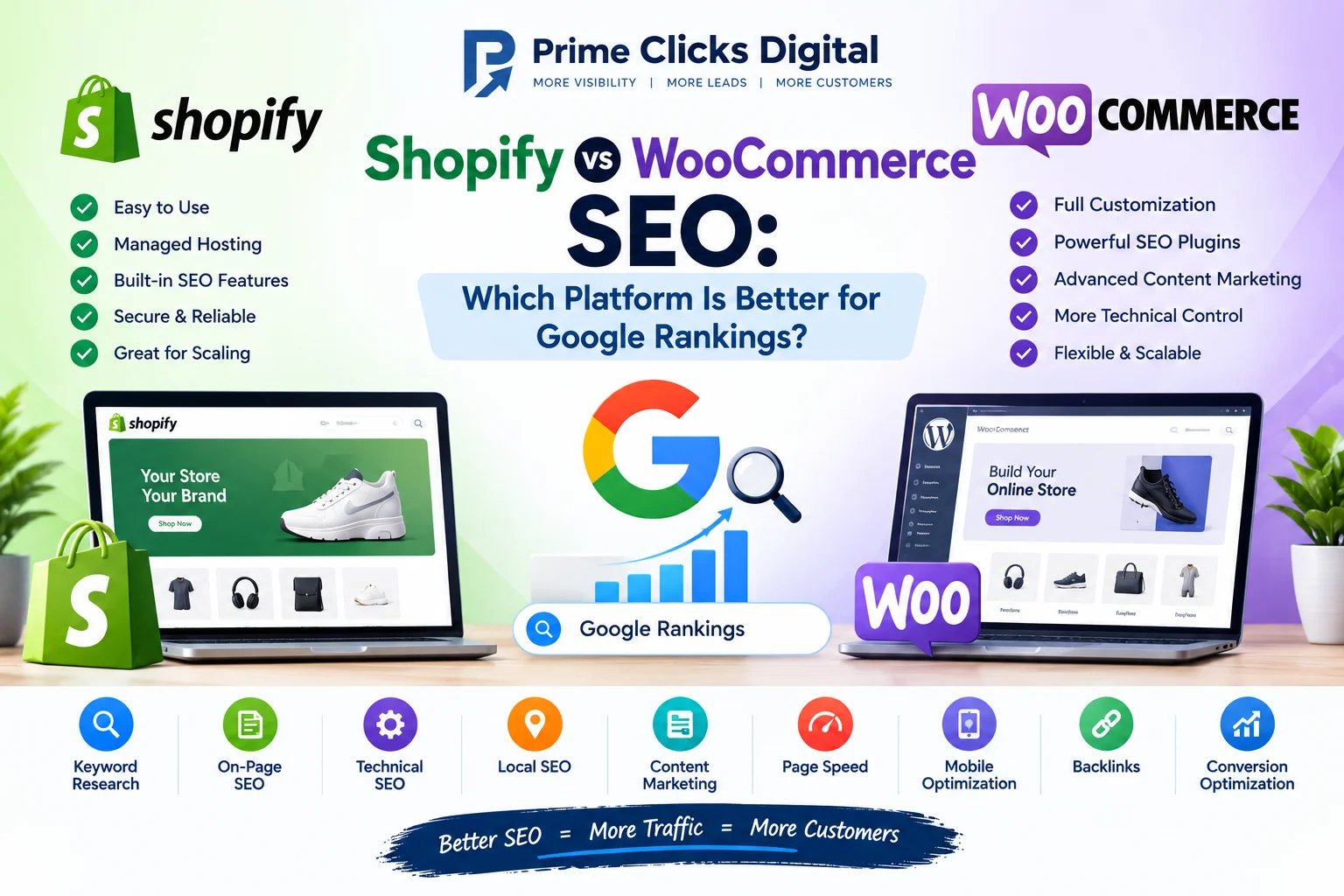
Shopify vs WooCommerce SEO: Which Platform Is Better for Google Rankings?
Choosing the right eCommerce platform is one of the most important decisions when building an online store. Two of the most popular options are Shopify and WooCommerce. Both platforms provide powerful tools for selling products online, but they take different approaches to website management, customization, technical SEO, and store optimization.
One of the most common questions business owners ask is:
Is Shopify or WooCommerce better for SEO?
The short answer is that both Shopify and WooCommerce can rank well on Google when they are properly optimized. There is no platform that automatically guarantees higher rankings. Your results depend on factors such as website structure, keyword targeting, content quality, technical SEO, page speed, backlinks, product optimization, user experience, and search intent.
However, Shopify and WooCommerce have important differences that can affect how easily you can implement an SEO strategy.
In this complete guide, we’ll compare Shopify vs WooCommerce SEO and explain the advantages, disadvantages, technical differences, and best practices for each platform.
What Is Shopify?
Shopify is a hosted eCommerce platform that allows businesses to create and manage online stores without managing their own hosting infrastructure.
Shopify provides tools for:
- Product management
- Payments
- Store design
- Inventory
- Shipping
- Marketing
- Analytics
- SEO
- Security
Because Shopify is a hosted platform, Shopify manages much of the technical infrastructure for you.
This can make Shopify an attractive option for businesses that want to launch and manage an online store without dealing with complex server configuration.
What Is WooCommerce?
WooCommerce is an eCommerce platform built for WordPress.
Unlike Shopify, WooCommerce gives store owners much more control over their website’s hosting, plugins, themes, code, database, and technical configuration.
WooCommerce can be used to build:
- Small online stores
- Large eCommerce websites
- Subscription businesses
- Product marketplaces
- Membership websites
- B2B stores
- Content-driven eCommerce websites
Because WooCommerce operates within WordPress, it provides access to a huge ecosystem of SEO plugins, themes, integrations, and customization options.
Shopify vs WooCommerce SEO: Quick Comparison
| SEO Factor | Shopify | WooCommerce |
|---|---|---|
| SEO Basics | Excellent | Excellent |
| Ease of Use | Very Easy | Moderate |
| Technical Control | Moderate | Very High |
| SEO Plugins | Apps available | Extensive plugin options |
| Page Speed | Generally good | Depends on hosting/configuration |
| URL Control | Some limitations | More flexible |
| Content Marketing | Good | Excellent |
| Blog SEO | Good | Excellent |
| Schema Customization | Good | Highly flexible |
| Hosting Management | Included | Separate |
| Security Management | Mostly managed | Owner-managed |
| Customization | High | Very High |
| Scalability | Excellent | Excellent with proper setup |
| Maintenance | Lower | Higher |
| SEO Flexibility | High | Very High |
The important point is that both platforms can achieve strong Google rankings.
The best choice depends on your business requirements and how much control you want over your website.
Shopify SEO: Advantages
Shopify includes many SEO-friendly features out of the box.
1. Easy to Manage
Shopify is designed for simplicity.
Business owners can manage:
- Products
- Collections
- Pages
- Blog posts
- Images
- Metadata
- Navigation
without needing extensive technical knowledge.
This makes it easier for beginners to maintain an online store.
2. Hosting Is Included
Shopify provides hosting as part of its platform.
You don’t have to separately configure:
- Web hosting
- Server software
- SSL
- Database infrastructure
- Server maintenance
This reduces the technical workload.
For businesses that don’t want to manage hosting, this can be a significant advantage.
3. SSL and Security
Shopify stores use HTTPS, which helps protect customer information and creates a more trustworthy shopping experience.
Security is especially important for eCommerce websites because customers need to feel comfortable entering payment and personal information.
4. Mobile-Friendly Themes
Many Shopify themes are designed to work across:
- Smartphones
- Tablets
- Desktop computers
Mobile usability is essential because many customers browse and purchase products from mobile devices.
5. SEO-Friendly Store Structure
Shopify automatically handles many technical elements, including certain canonical and sitemap functions.
This means store owners can focus more on content and product optimization instead of managing every technical detail manually.
Shopify SEO: Disadvantages
Although Shopify is SEO-friendly, it also has some limitations.
1. Less Technical Control
Shopify is a hosted platform.
That means you don’t have the same level of control over the server and underlying infrastructure that you can have with a self-hosted WooCommerce website.
For most businesses, this isn’t a major issue.
However, advanced SEO professionals may prefer more technical control.
2. URL Structure Limitations
Shopify uses predefined URL structures for certain content types.
For example, product URLs typically use:
/products/
and collection URLs use:
/collections/
These structures are not necessarily bad for SEO, but they provide less flexibility than a completely customizable WordPress environment.
3. App Dependency
Shopify uses apps to extend functionality.
Some SEO features may require third-party apps.
Installing too many apps can potentially affect:
- Page speed
- JavaScript loading
- Website complexity
- Maintenance
Therefore, Shopify store owners should install only the apps they actually need.
WooCommerce SEO: Advantages
WooCommerce offers significant SEO flexibility because it operates within WordPress.
1. Extensive SEO Control
WooCommerce gives you control over many aspects of your website.
You can optimize:
- Titles
- Meta descriptions
- URLs
- Categories
- Product pages
- Schema
- Internal links
- Breadcrumbs
- XML sitemaps
- Images
- Content
- Technical settings
This makes WooCommerce highly attractive for advanced SEO strategies.
2. Powerful SEO Plugins
WordPress has many SEO plugins that can help optimize WooCommerce stores.
Popular options include:
- Rank Math
- Yoast SEO
- All in One SEO
- Schema plugins
- Image optimization plugins
- Cache plugins
These tools can make advanced SEO implementation easier.
3. Excellent Content Marketing
One of WooCommerce’s biggest advantages is its connection with WordPress.
WordPress is one of the most widely used content management systems for publishing content.
You can build:
- Product pages
- Blog posts
- Buying guides
- Comparison articles
- Tutorials
- FAQs
- Case studies
- Landing pages
This makes WooCommerce particularly powerful for content-driven SEO strategies.
4. Greater Customization
WooCommerce gives developers extensive control over the website.
You can customize:
- Themes
- Templates
- PHP
- HTML
- CSS
- JavaScript
- Plugins
- Database
- Server configuration
This is useful for businesses with unique SEO requirements.
WooCommerce SEO: Disadvantages
More control also means more responsibility.
1. Hosting Management
WooCommerce does not include hosting in the same way Shopify does.
You need to choose and manage hosting separately.
Poor hosting can result in:
- Slow page speed
- Downtime
- Poor server response
- Performance problems
Choosing quality hosting is therefore important.
2. Plugin Conflicts
WooCommerce websites often use multiple plugins.
For example:
- SEO plugin
- Security plugin
- Cache plugin
- Payment plugin
- Analytics plugin
- Backup plugin
- Product filter plugin
Plugins can sometimes conflict with each other.
Poorly maintained plugins may also create security or performance issues.
3. More Maintenance
WooCommerce websites require regular maintenance.
You may need to update:
- WordPress
- WooCommerce
- Plugins
- Themes
- PHP
- Security settings
Regular backups and monitoring are also important.
Shopify vs WooCommerce: Which Is Better for Keyword Optimization?
Both platforms allow you to optimize important SEO elements.
You can target keywords in:
- Product titles
- Product descriptions
- Collection/category pages
- Blog posts
- Landing pages
- Meta titles
- Meta descriptions
- Image alt text
The platform itself does not determine whether your keyword strategy will succeed.
Your keyword research and content quality are more important.
For example, an online shoe store could target:
Transactional keywords
- Buy running shoes online
- Men’s running shoes
- Women’s running shoes
Commercial keywords
- Best running shoes for beginners
- Best shoes for marathon training
- Lightweight running shoes
Informational keywords
- How to choose running shoes
- How often should running shoes be replaced?
A strong eCommerce SEO strategy can target all three types.
Shopify vs WooCommerce Product SEO
Product page optimization is essential for eCommerce SEO.
Every important product page should include:
- Unique product title
- Detailed product description
- Target keywords
- High-quality images
- Descriptive alt text
- Product specifications
- Pricing
- Availability
- Reviews where appropriate
- Relevant internal links
- Product structured data
Avoid copying manufacturer descriptions across hundreds of products.
Create unique and helpful descriptions that explain:
- What the product does
- Who it is for
- Its benefits
- Key features
- How to use it
- Why customers should choose it
Unique product content can help differentiate your store from competitors.
Collection and Category Page SEO
Many eCommerce businesses focus heavily on product pages and ignore category or collection pages.
This can be a mistake.
Collection pages can target valuable commercial keywords.
For example:
Running Shoes
can target:
- Running shoes
- Best running shoes
- Running shoes for men
- Running shoes for women
A well-optimized collection page can include:
- SEO-friendly title
- Helpful introduction
- Relevant products
- Internal links
- FAQs
- Buying information
Do not add large amounts of unnecessary text just to increase word count.
Content should help customers make purchasing decisions.
Shopify vs WooCommerce Page Speed
Website performance is an important part of user experience and technical SEO.
A slow eCommerce store can result in:
- Higher bounce rates
- Lower conversions
- Poor user experience
- Frustrated customers
Shopify provides a managed infrastructure, which can make performance management easier.
WooCommerce performance depends more heavily on:
- Hosting
- Theme
- Plugins
- Images
- Database
- Caching
- Code quality
- CDN configuration
A properly optimized WooCommerce store can be extremely fast.
Likewise, a poorly optimized Shopify store can become slower due to excessive apps, large images, scripts, and inefficient themes.
Therefore, platform choice alone does not determine page speed.
Technical SEO for Shopify
Important Shopify SEO tasks include:
Optimize Metadata
Create unique titles and meta descriptions for important pages.
Optimize Images
Compress images and use descriptive file names and alt text.
Review Apps
Remove unnecessary apps that add excessive scripts.
Improve Internal Linking
Connect products, collections, guides, and related content.
Optimize Navigation
Make it easy for customers and search engines to discover important pages.
Review Redirects
Monitor broken URLs and implement appropriate redirects when pages change.
Use Structured Data
Ensure relevant product and organization information is accurately represented.
Technical SEO for WooCommerce
WooCommerce provides more technical flexibility.
Important optimization areas include:
- Hosting
- Caching
- CDN
- Database optimization
- Image compression
- JavaScript
- CSS
- Plugin management
- XML sitemaps
- Robots.txt
- Canonical URLs
- Redirects
- Schema
- Internal linking
- Core Web Vitals
Because WooCommerce offers more control, experienced SEO professionals can implement highly customized technical strategies.
Shopify vs WooCommerce for Content Marketing
Content marketing can generate valuable organic traffic before users are ready to purchase.
For example, a pet store could publish:
- Best Food for Senior Dogs
- How to Choose the Right Dog Harness
- Best Toys for Puppies
- How Often Should You Walk Your Dog?
- Dog Nutrition Guide
These articles can attract informational searches and internally link users to relevant products.
Which Platform Is Better?
WooCommerce has an advantage because it is built on WordPress, which provides extensive content management capabilities.
However, Shopify also provides blogging functionality and can support a strong content strategy.
The quality of the content matters more than the platform.
Shopify vs WooCommerce for Local SEO
If you operate an eCommerce business with physical locations, both platforms can support Local SEO.
Important elements include:
- Business information
- Location pages
- Google Business Profile
- Local content
- Reviews
- Local citations
- Internal linking
- Location-specific landing pages
For businesses with multiple locations, create useful location pages that provide unique information.
Avoid mass-producing duplicate location pages.
Shopify vs WooCommerce for International SEO
Businesses targeting multiple countries need to consider international SEO.
Important factors can include:
- Country-specific content
- Language
- Currency
- Shipping information
- Regional URLs
- Hreflang
- International keyword research
Both Shopify and WooCommerce can support international eCommerce SEO, but implementation can become technically complex depending on the number of countries and languages.
Shopify vs WooCommerce for AI Search, AEO and GEO
Modern search is changing beyond traditional blue Google links.
Customers increasingly ask conversational questions through search engines and AI-powered systems.
For example:
“What is the best running shoe for someone with flat feet?”
An eCommerce business can improve its visibility by creating helpful content that answers specific customer questions.
This is where AEO and GEO strategies can complement traditional SEO.
Create:
- Detailed buying guides
- Product comparisons
- FAQs
- How-to content
- Expert explanations
- Product specifications
- Original research
- Helpful reviews
- Clear product information
Both Shopify and WooCommerce can support these strategies.
However, WooCommerce’s WordPress foundation provides particularly strong flexibility for building large content ecosystems.
Which Is Better for Small Businesses?
Shopify can be an excellent choice for small businesses that want:
- Easy setup
- Managed hosting
- Simple store management
- Strong eCommerce features
- Lower technical maintenance
WooCommerce may be better for businesses that want:
- Maximum control
- Advanced customization
- Extensive content marketing
- Flexible SEO implementation
- WordPress integration
- Custom functionality
The right choice depends on your technical resources and business goals.
Which Is Better for SEO: Shopify or WooCommerce?
There is no universal winner.
Choose Shopify if:
- You want a simpler platform
- You prefer managed hosting
- You want less technical maintenance
- You want to launch quickly
- Your store doesn’t require highly customized infrastructure
Choose WooCommerce if:
- You want maximum SEO flexibility
- You already use WordPress
- Content marketing is a major priority
- You need extensive customization
- You want greater technical control
- You have access to WordPress development or SEO expertise
Both can rank highly on Google.
The quality of your SEO implementation matters more than the platform name.
How to Choose the Right Platform for Your Business
Before choosing Shopify or WooCommerce, ask yourself:
1. How much technical control do I need?
If you want maximum control, WooCommerce may be more suitable.
2. How much maintenance can I handle?
If you prefer a managed environment, Shopify may be easier.
3. Is content marketing important?
Both support content marketing, but WooCommerce benefits from WordPress’s extensive publishing ecosystem.
4. Do I need custom functionality?
WooCommerce generally provides extensive customization options.
5. Do I want a simple setup?
Shopify can provide a simpler path to launching an online store.
6. What is my long-term SEO strategy?
Think beyond your initial launch.
Consider:
- Content
- Technical SEO
- International SEO
- Local SEO
- Product SEO
- AI search
- Conversion optimization
- Scalability
Shopify SEO Checklist
Use this checklist to improve your Shopify store’s SEO:
- Research relevant keywords
- Optimize product titles
- Write unique product descriptions
- Optimize collection pages
- Create SEO-friendly page titles
- Write compelling meta descriptions
- Optimize product images
- Add descriptive alt text
- Improve internal linking
- Optimize website navigation
- Remove unnecessary apps
- Improve page speed
- Monitor broken links
- Review redirects
- Create helpful blog content
- Add relevant structured data
- Optimize for mobile
- Monitor Google Search Console
- Track conversions
- Update outdated content
WooCommerce SEO Checklist
For WooCommerce stores:
- Perform keyword research
- Optimize product pages
- Optimize category pages
- Improve product descriptions
- Optimize images
- Use SEO plugins correctly
- Configure XML sitemaps
- Optimize internal links
- Improve hosting performance
- Use caching
- Optimize the database
- Reduce unnecessary plugins
- Improve Core Web Vitals
- Add appropriate schema
- Optimize mobile UX
- Fix broken links
- Manage redirects
- Create helpful content
- Monitor indexing
- Track organic traffic and conversions
Common eCommerce SEO Mistakes
Regardless of whether you use Shopify or WooCommerce, avoid these mistakes.
Duplicate Product Descriptions
Don’t use the exact same description provided by dozens of other stores.
Keyword Stuffing
Don’t repeat keywords unnaturally.
Write for people first.
Ignoring Category Pages
Category and collection pages can be valuable SEO assets.
Too Many Apps or Plugins
Excessive software can create performance and maintenance problems.
Poor Image Optimization
Large images can slow down your website.
Thin Content
Pages should provide enough useful information to satisfy search intent.
Ignoring Mobile Users
Your store must work well on smartphones.
No Conversion Strategy
Traffic without conversions doesn’t create a successful eCommerce business.
How to Track eCommerce SEO Performance
SEO should be measured using meaningful metrics.
Monitor:
- Organic traffic
- Impressions
- Clicks
- Click-through rate
- Keyword rankings
- Product page traffic
- Collection page traffic
- Conversion rate
- Revenue from organic traffic
- Average order value
- Organic leads
- Indexed pages
Google Search Console can help you understand how your website performs in Google Search.
Analytics and eCommerce tracking can help you understand what visitors do after arriving on your website.
The goal is not simply to increase traffic.
The goal is to increase qualified traffic, conversions, and revenue.
Final Verdict: Shopify vs WooCommerce SEO
So, which platform is better for SEO?
Shopify and WooCommerce can both be excellent SEO platforms.
Shopify is a strong choice for businesses that want a simple, managed, scalable eCommerce solution with less technical maintenance.
WooCommerce is a powerful choice for businesses that want extensive control over SEO, content, website structure, customization, and technical implementation.
If your primary goal is simplicity and ease of management, Shopify may be the better choice.
If your priority is flexibility, content marketing, customization, and advanced SEO control, WooCommerce may be the better option.
But remember:
Your eCommerce platform is only the foundation. Your SEO strategy is what determines how effectively your store competes in search.
A successful eCommerce SEO strategy combines:
Keyword Research + Product SEO + Technical SEO + Content Marketing + Internal Linking + Page Speed + Mobile Optimization + Structured Data + Conversion Optimization + Authority Building
Whether you use Shopify or WooCommerce, the right SEO strategy can help your store attract more qualified visitors, generate more leads and sales, and build long-term organic visibility.
Frequently Asked Questions
Is Shopify better than WooCommerce for SEO?
Not necessarily. Both platforms can achieve strong Google rankings. Shopify offers simplicity and managed infrastructure, while WooCommerce provides greater technical and customization flexibility.
Is WooCommerce good for SEO?
Yes. WooCommerce can be highly SEO-friendly, especially when combined with WordPress SEO tools, quality hosting, optimized content, technical SEO, and a well-structured website.
Can Shopify rank on Google?
Yes. Shopify stores can rank well on Google when their products, collections, content, technical SEO, site structure, and authority are properly optimized.
Which is faster, Shopify or WooCommerce?
There is no universal answer. Shopify provides managed infrastructure, while WooCommerce performance depends heavily on hosting, themes, plugins, caching, images, and technical optimization.
Is WooCommerce better for blogging?
WooCommerce runs on WordPress, making it particularly strong for businesses that want to combine eCommerce with extensive content marketing.
Can I switch from Shopify to WooCommerce?
Yes, businesses can migrate from Shopify to WooCommerce, but migration should be carefully planned to preserve URLs, product data, metadata, redirects, indexing, and SEO equity.
Can I switch from WooCommerce to Shopify?
Yes. A WooCommerce store can be migrated to Shopify, but proper URL mapping, redirects, content migration, product migration, and SEO checks are important.
Which platform is better for small businesses?
Shopify may be easier for businesses that want simplicity and lower technical maintenance. WooCommerce may be better for businesses that need greater customization and SEO control.
Our eCommerce SEO Services
At Prime Clicks Digital, we help eCommerce businesses improve organic visibility, attract qualified visitors, and generate more sales.
Shopify SEO
- Shopify technical SEO
- Product SEO
- Collection optimization
- Keyword research
- On-page SEO
- Image optimization
- Internal linking
- Structured data
- SEO content strategy
- Search performance optimization
WooCommerce SEO
- WooCommerce technical SEO
- Product and category optimization
- WordPress SEO
- Keyword research
- On-page optimization
- Schema implementation
- Internal linking
- Speed optimization
- Content optimization
- Conversion-focused SEO
Other Services
- Local SEO
- Google Business Profile
- WordPress SEO
- Technical SEO
- SEO Audit
- Website Design
- GEO & AEO
- AI Search Visibility / AI SEO
Prime Clicks Digital helps businesses get found by the right customers through search-focused digital strategies.
Request a Free SEO Audit to identify potential technical, content, SEO, GEO, and AEO opportunities for your website.
Website: https://primeclicksdigital.com/
Email: info@primeclicksdigital.com
WhatsApp: +8801779636906